The Mobile
Computer Science
Institution.
Turn your phone into a professional workstation. Master 12+ Academic Tracks with our integrated Offline IDE and research-backed methodology.
Quick Answers
Clear insights into our professional mobile ecosystem.
QIs there a real mobile IDE for Java and Python?
Yes. CodeVarsity provides a professional-grade mobile IDE featuring locally embedded runtimes for Java 21 and Python 3.10. Unlike other apps that use web-wrappers, we provide native execution, a professional file system, and an integrated terminal—all accessible 100% offline.
QHow can I learn Python and Web Development on Android without internet?
CodeVarsity comes pre-bundled with the Python 3.10 interpreter, industrial libraries like NumPy and Pandas, and a live-preview HTML/CSS/JS environment. You can follow our structured curriculum and run your code directly on your Android device without any data connection, making it perfect for learning on the go.
QWhat is Guided Practice (Ghost Code™)?
Guided Practice is our unique character-by-character coding method. By typing along with a 'ghost' template, you build muscle memory and master complex syntax before moving to independent implementation. It eliminates the frustration of typos and ensures you learn the 'feel' of professional code.
QWhat is the best app for professional coding on mobile?
CodeVarsity is optimized for professional practice, offering high-speed execution for Python, Java 21, and Go. Our 'Bug Squasher' rounds and algorithm visualizers help you master complex data structures and web terminal workflows, providing a technical edge on any device.
QCan I use CodeVarsity to build professional projects?
Absolutely. CodeVarsity supports professional project structures, multi-file editing, and HTML/CSS live preview. Its institutional-grade methodology ensures you aren't just 'playing' with code, but building production-ready logic.
Complete Curriculum
From binary logic to software architecture. Powered by the Rhombus Methodology.
Learning Tracks (Cross-Platform Sync)
Python
Universal PathRecord Management System
Java
Universal PathIntegrated School Management System
Web Stack
Universal PathFull-Stack Digital Portfolio
Go Lang
Universal PathConcurrent Health Surveillance System
SQL
Universal PathInventory Database Architecture
C Language
Universal PathCustom Dynamic Data Structure Library
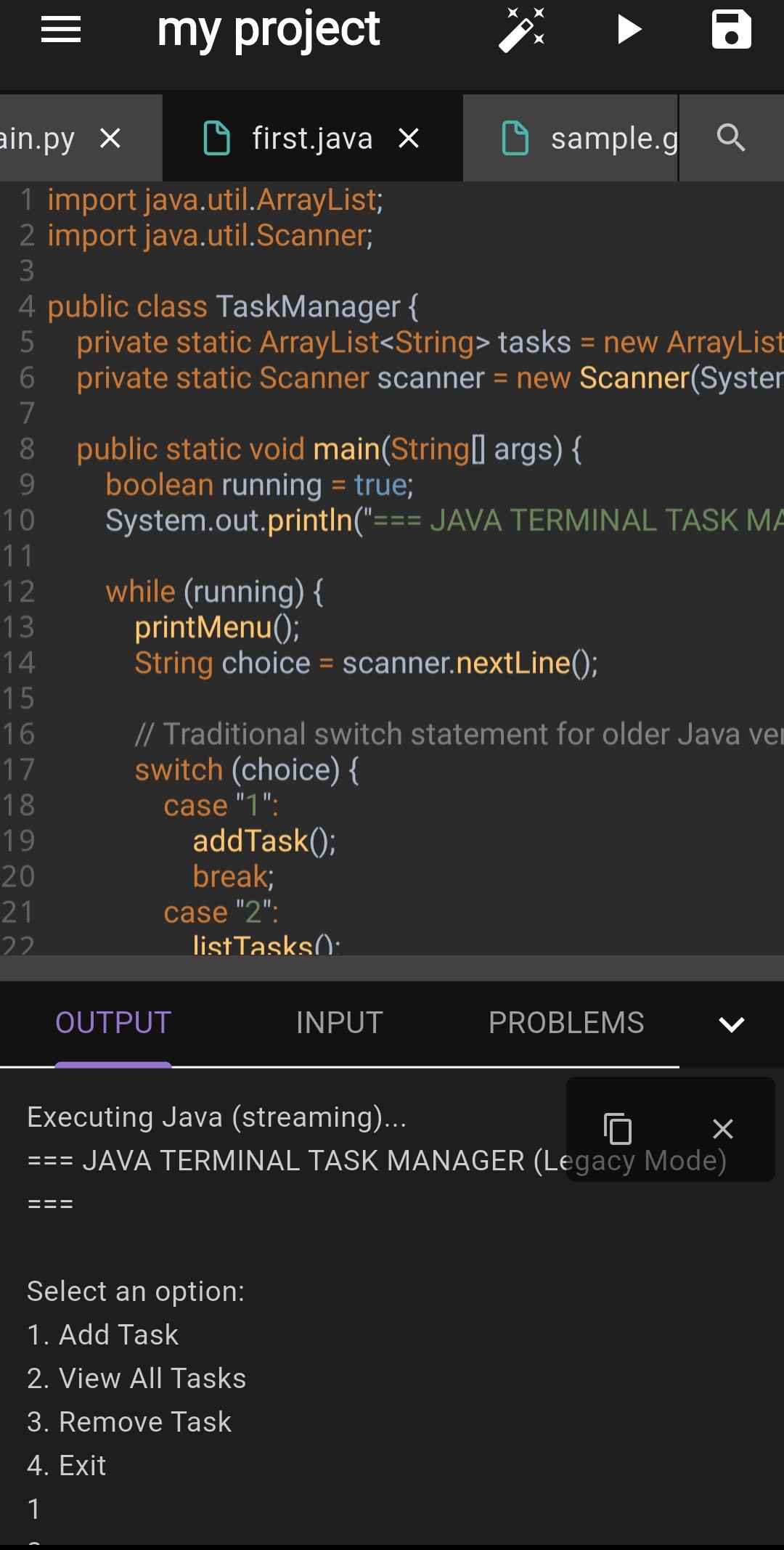
Industrial Offline Compilers
No cloud latency. No internet required. Real-world runtimes optimized for mobile architecture.
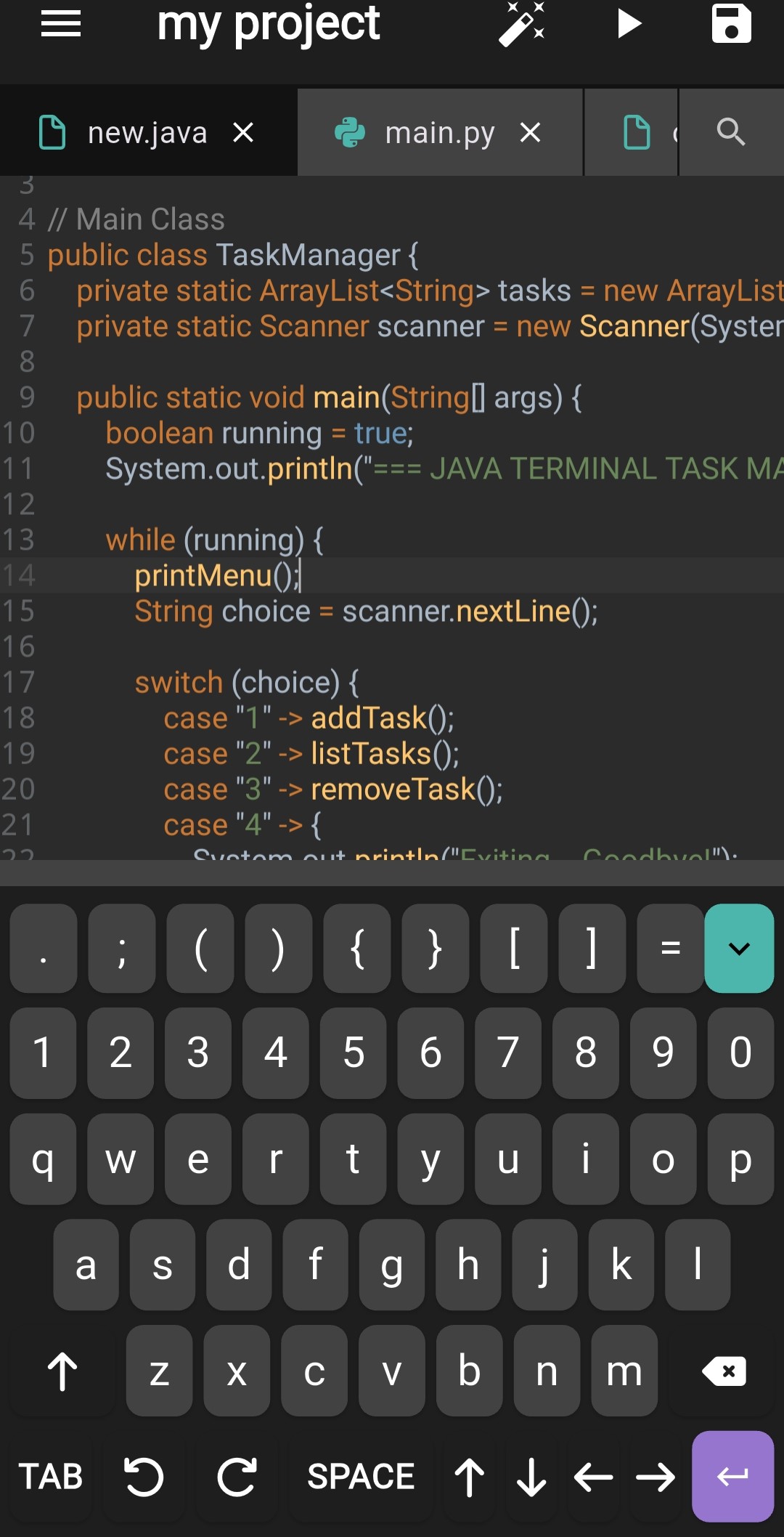
Institutional Keyboard
Optimized for rapid symbol entry & cursor precision.
Watch. Code. Master.
All in One Screen.
CodeVarsity's YouTube Hub lets you search and watch any programming tutorial on YouTube while writing and running real code in a split-screen IDE — no switching apps, no losing focus.
Search Any Tutorial
Search millions of YouTube programming playlists and videos directly inside the app. No need to leave CodeVarsity.
Split-Screen Workspace
Video plays on the top half. A full offline IDE runs on the bottom half. Watch the expert, then type it yourself instantly.
Paste Any YouTube URL
Already have a playlist or video link? Paste it directly. The app opens it in the interactive workspace in seconds.
Practice History
Every playlist or video you've practiced with is saved. Resume exactly where you left off, any time.
Works Offline*
Download your workspace project and continue coding even without internet. (*Video streaming requires connection)
Any YouTube Channel
Not limited to our content. Search tutorials from freeCodeCamp, Telusko, CodeWithHarry, NetworkChuck — anyone.
How It Works
Four steps from zero to coding alongside any YouTube tutorial.
Search or Paste
Open the YouTube Hub tab. Search for any topic (e.g. "Python for beginners") or paste a direct YouTube playlist/video URL.
Open the Workspace
Tap any result. The video opens on the top half of your screen and a fully functional code editor opens on the bottom half.
Code Along in Real-Time
As the instructor explains concepts, type the code yourself in the editor below. Hit "Run" to see the output instantly.
Save & Resume
Your progress is automatically saved. Come back any time and continue from where you left off.
Tiny Challenges.
Massive Skill Gains.
Stop reading. Start doing. CodeVarsity's Practice Snippets give you bite-sized, real-world coding challenges that train your fingers to write good code — not just your brain to remember it.
Hunt the Bug. Kill It.
You are given broken code that contains a real bug. Your job? Find it, fix it, and prove you understand why it was wrong. No hints until you ask for one.
Perfect for: Debugging skills, reading code, attention to detail
Messy Code? Clean It Up.
You receive working but poorly-written code. Your challenge is to rewrite it to be cleaner, more readable, and more efficient — without breaking it.
Perfect for: Clean code principles, best practices, code quality
Build It from Scratch. With Guidance.
You get a blank function and a description of what it should do. Ghost code hints appear as you type, guiding you if you get stuck. The goal: write the function completely on your own.
Perfect for: Problem solving, logic, building confidence
1000+ Challenges Available
Covering Python, Java, JavaScript, Go, SQL, C, HTML/CSS, and more. New challenges added regularly.
3 Difficulty Levels
Beginner, Intermediate, and Advanced. Start where you are, progress at your pace.
Real Compiler, Real Feedback
Every challenge runs in our offline compiler. You see real output — no simulated "correct/wrong" gimmicks.
Track Your Score
Earn XP. Build streaks. See your Bug Squasher score rise. All stats appear on your public profile.
No Setup Required
Open a snippet and start coding in under 5 seconds. No project setup, no boilerplate, no fuss.
Retry Until You Get It Right
Failed a challenge? Review the hint, try again. Progress is saved so you pick up where you stopped.
How It Works
Start a challenge in under 5 seconds.
Choose a Language & Type
Navigate to Practice Snippets. Filter by language (e.g., Python) and type (Bug Squasher, Refactor, Guided).
Read the Challenge
Each snippet shows the code and a description of what's wrong or what you need to build.
Code Your Solution
Use the built-in editor. The real offline compiler runs your code and shows actual output — not a simulation.
Check & Learn
Submit your solution. See if it passes the test cases. Read the explanation to understand deeply.
Experience the Mechanics.
Go beyond code with visual tools that render execution, architecture, and logic in real-time.
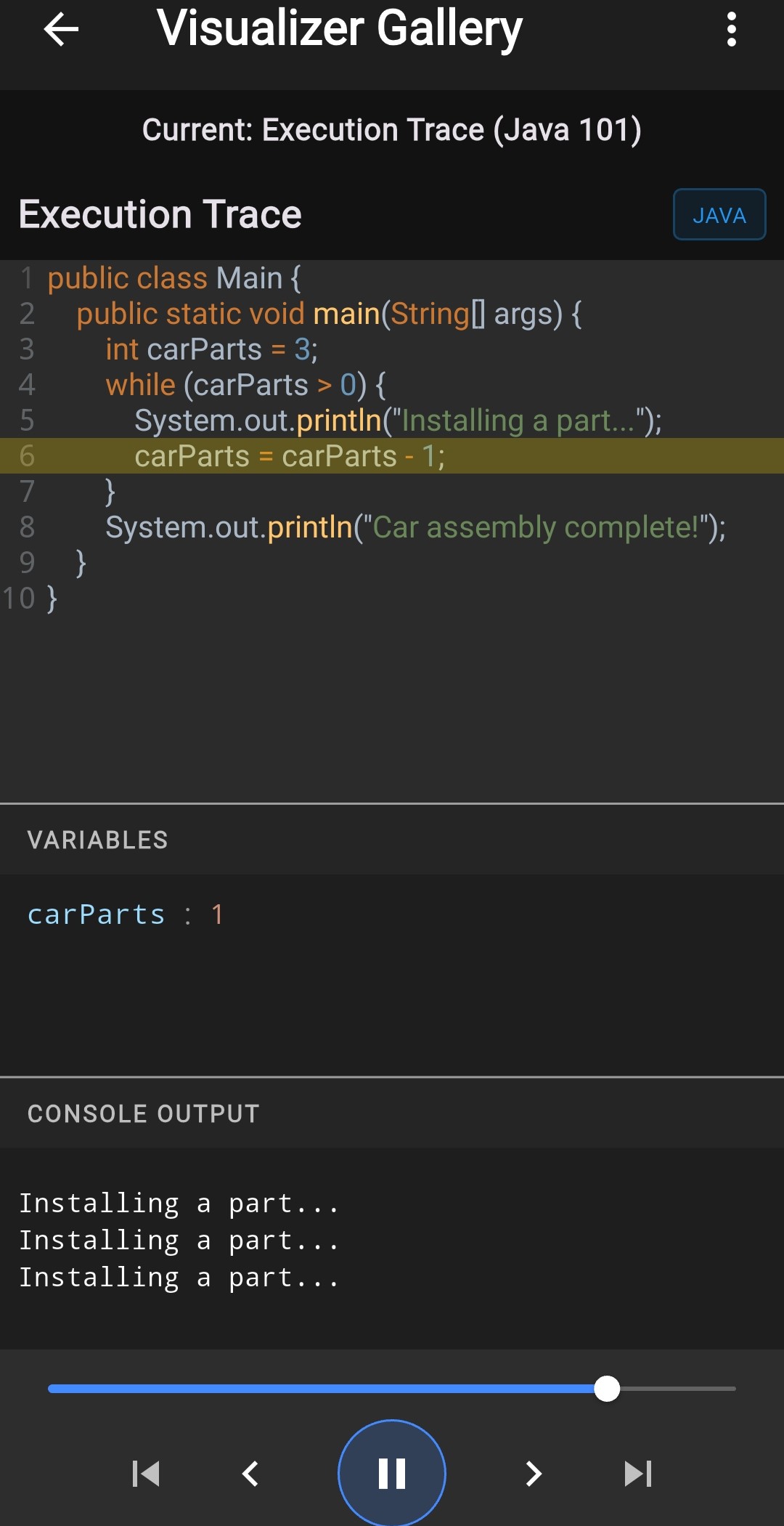
Execution Trace
Step through code execution line-by-line. Rewind state and observe precise variable mutations in real-time.
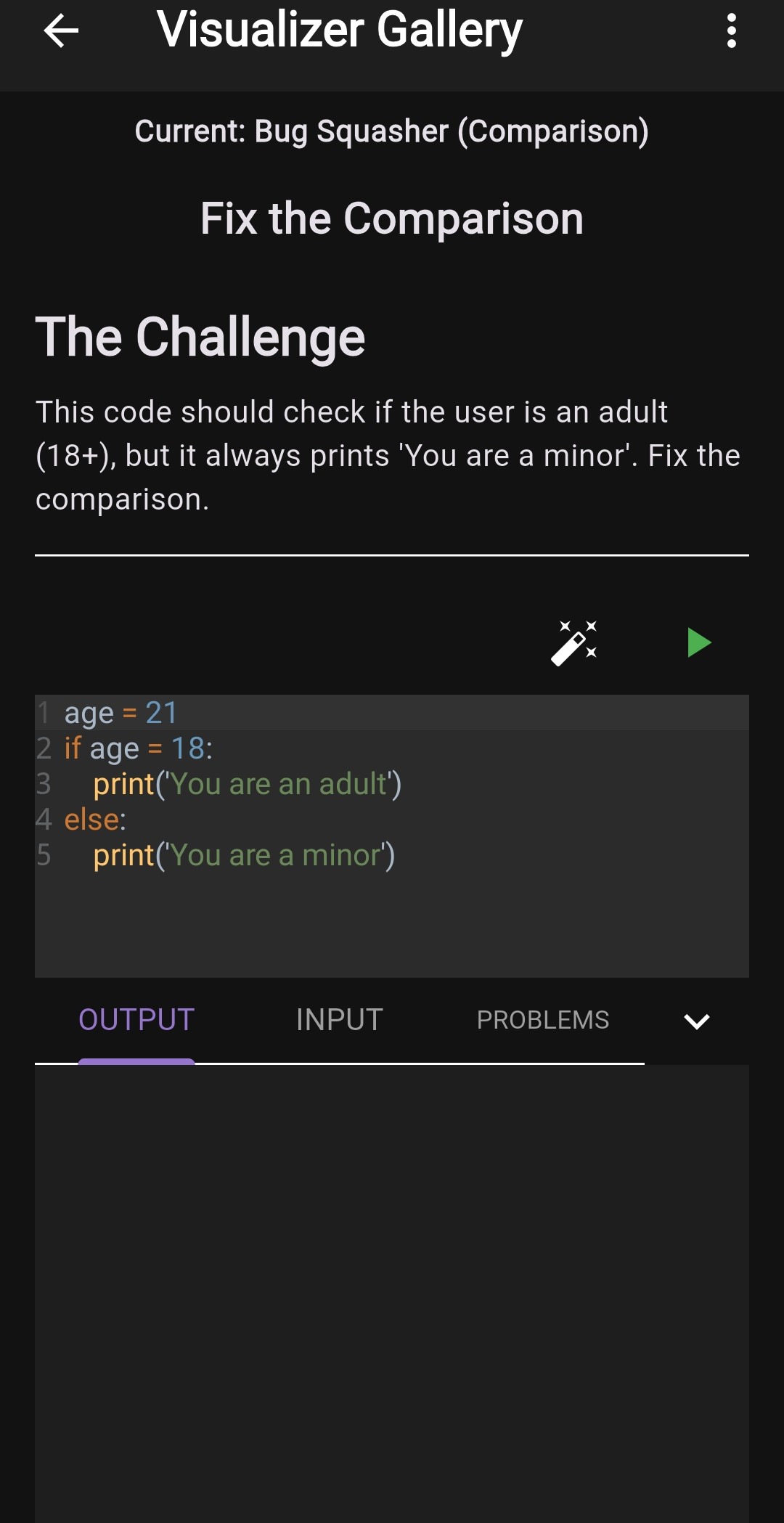
Bug Squasher
Experience gamified diagnostic challenges. Identify performance bottlenecks and clear professional codebase errors.
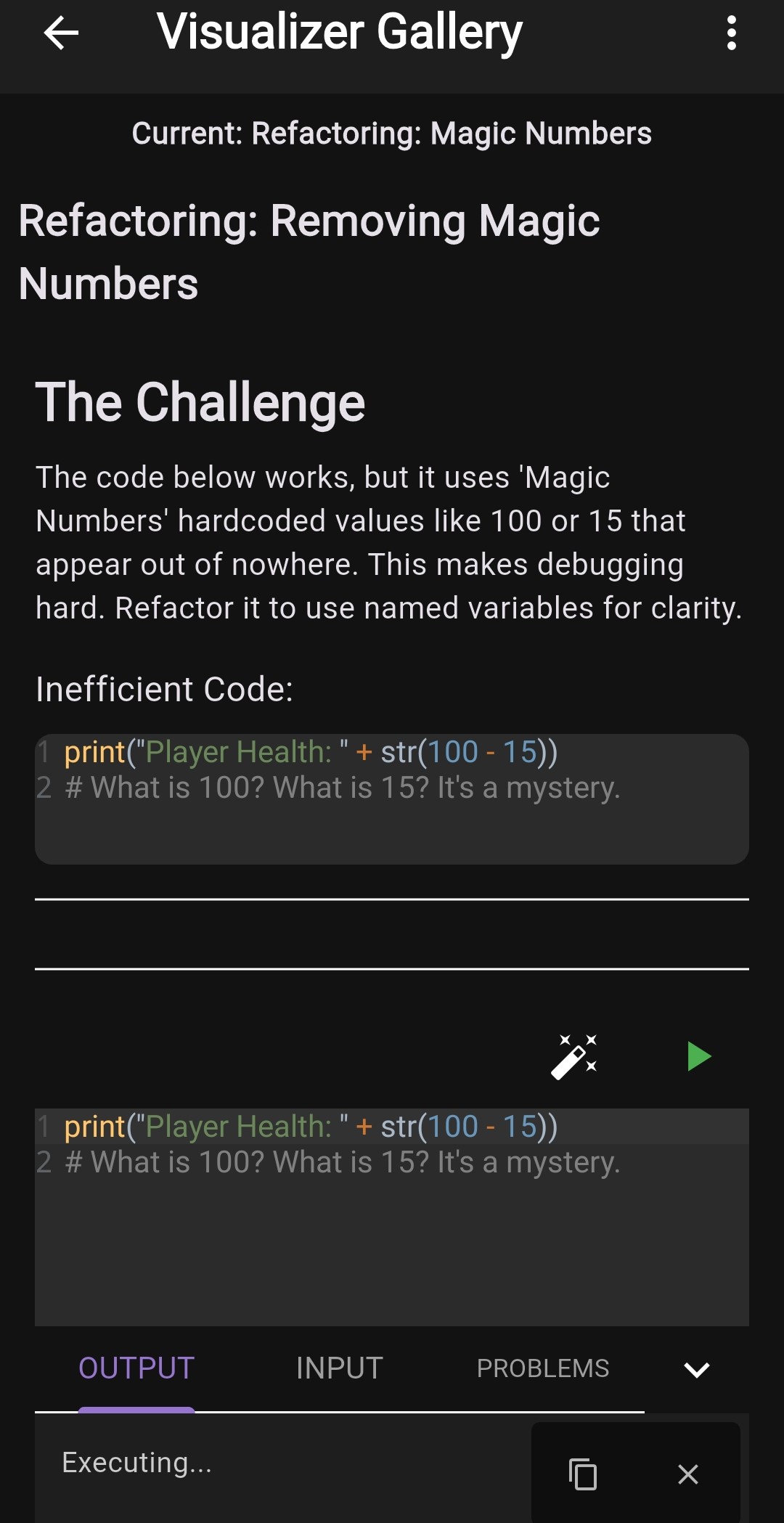
Refractor Visualizer
Analyze code quality and visualize structural improvements for cleaner, more professional output.
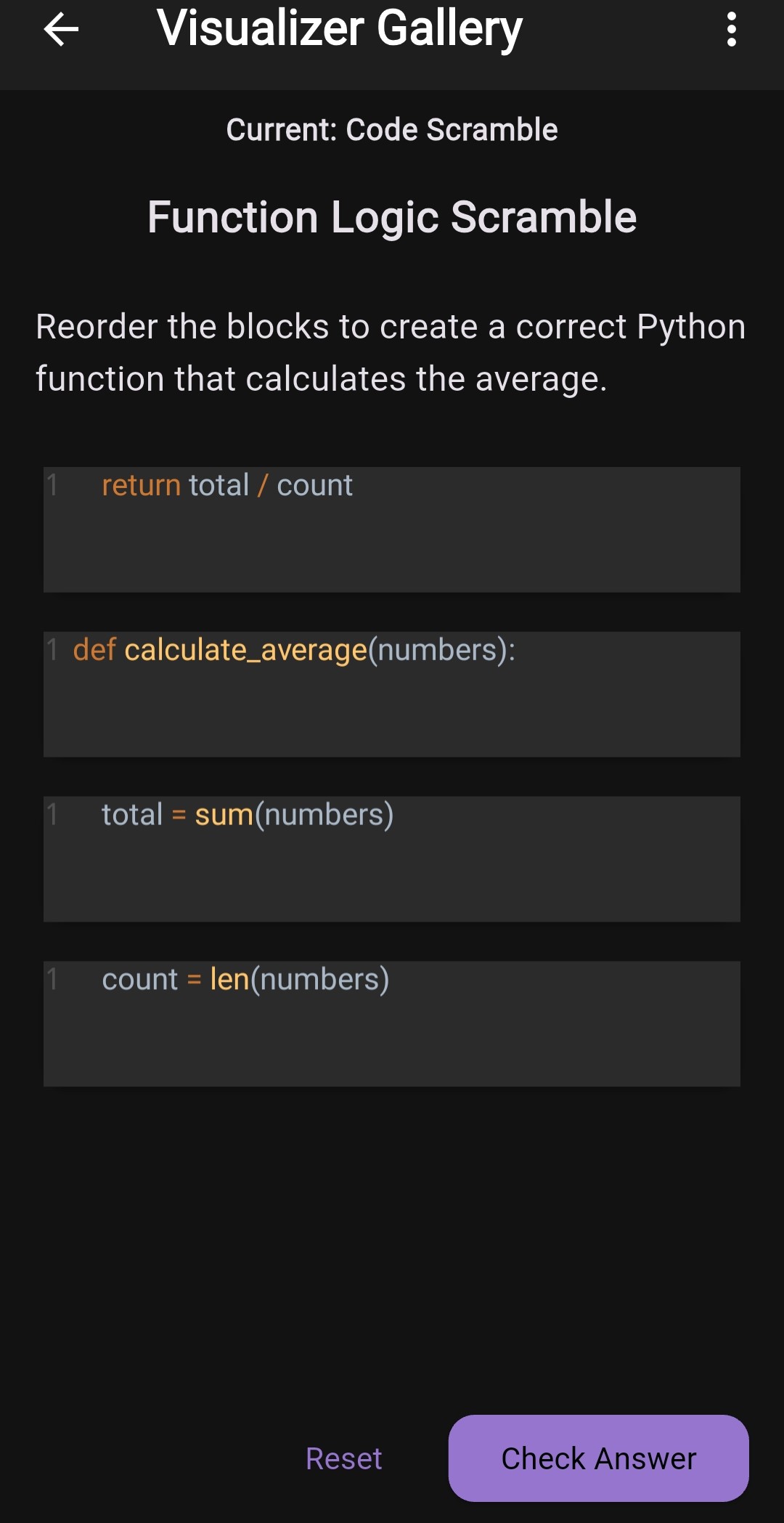
Code Scramble
Master syntax through interactive puzzle-based challenges that reinforce structural understanding.
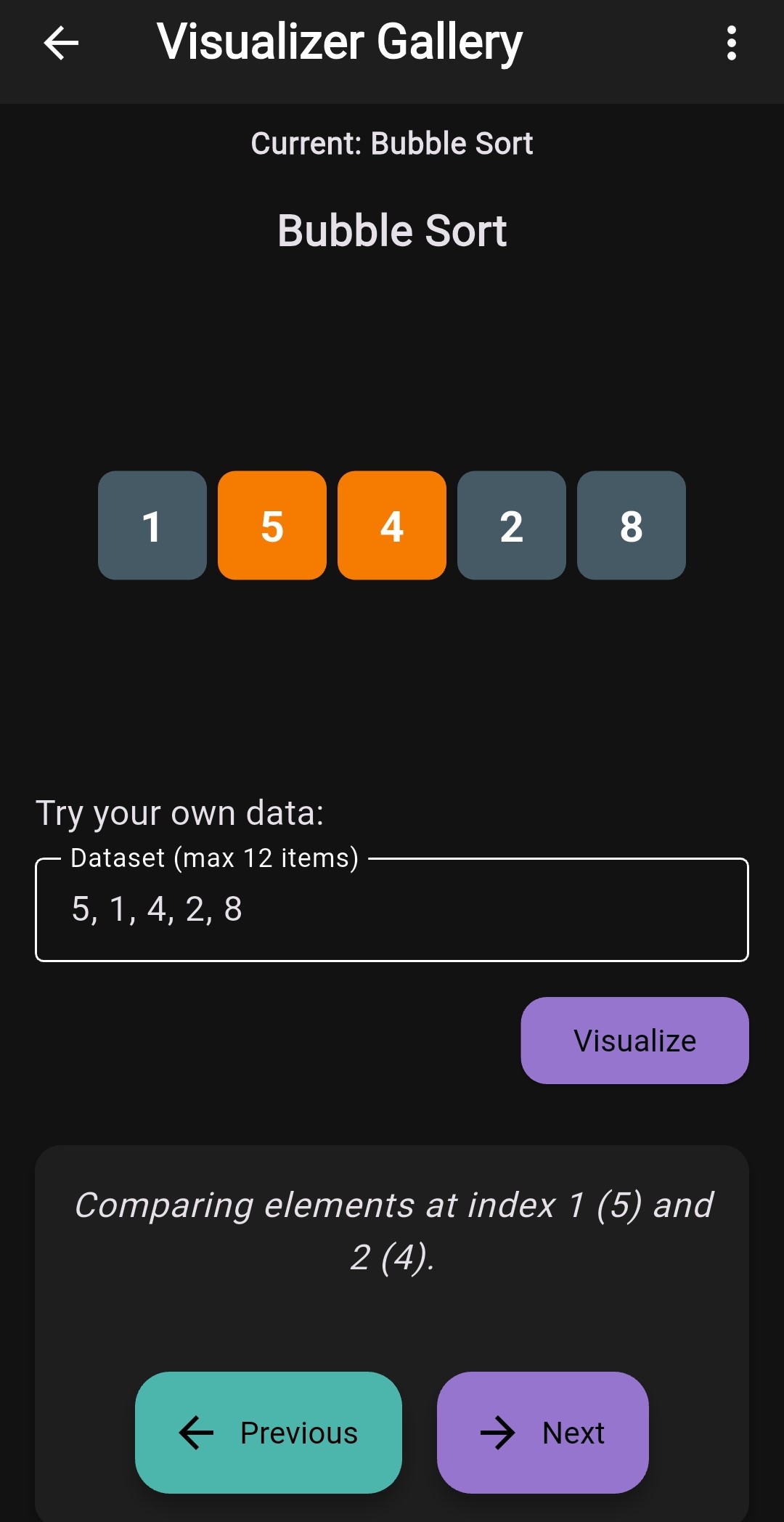
Algorithm Sandbox
Observe sorting, graph traversals, and complex optimization logic rendered in interactive algorithmic models.
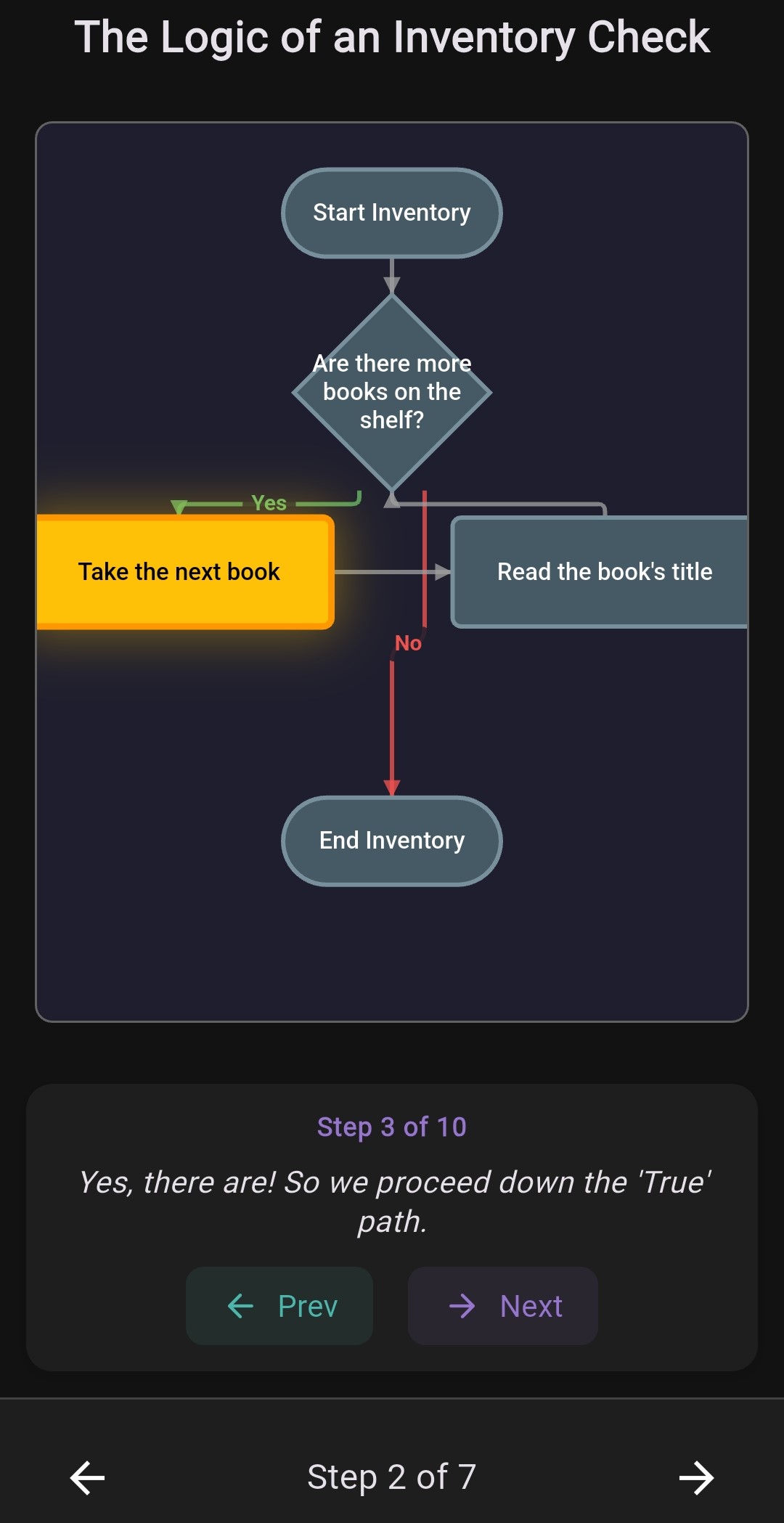
Flowchart Visualizer
Automatically convert complex logic into clear, interactive flowcharts to understand control flow instantly.
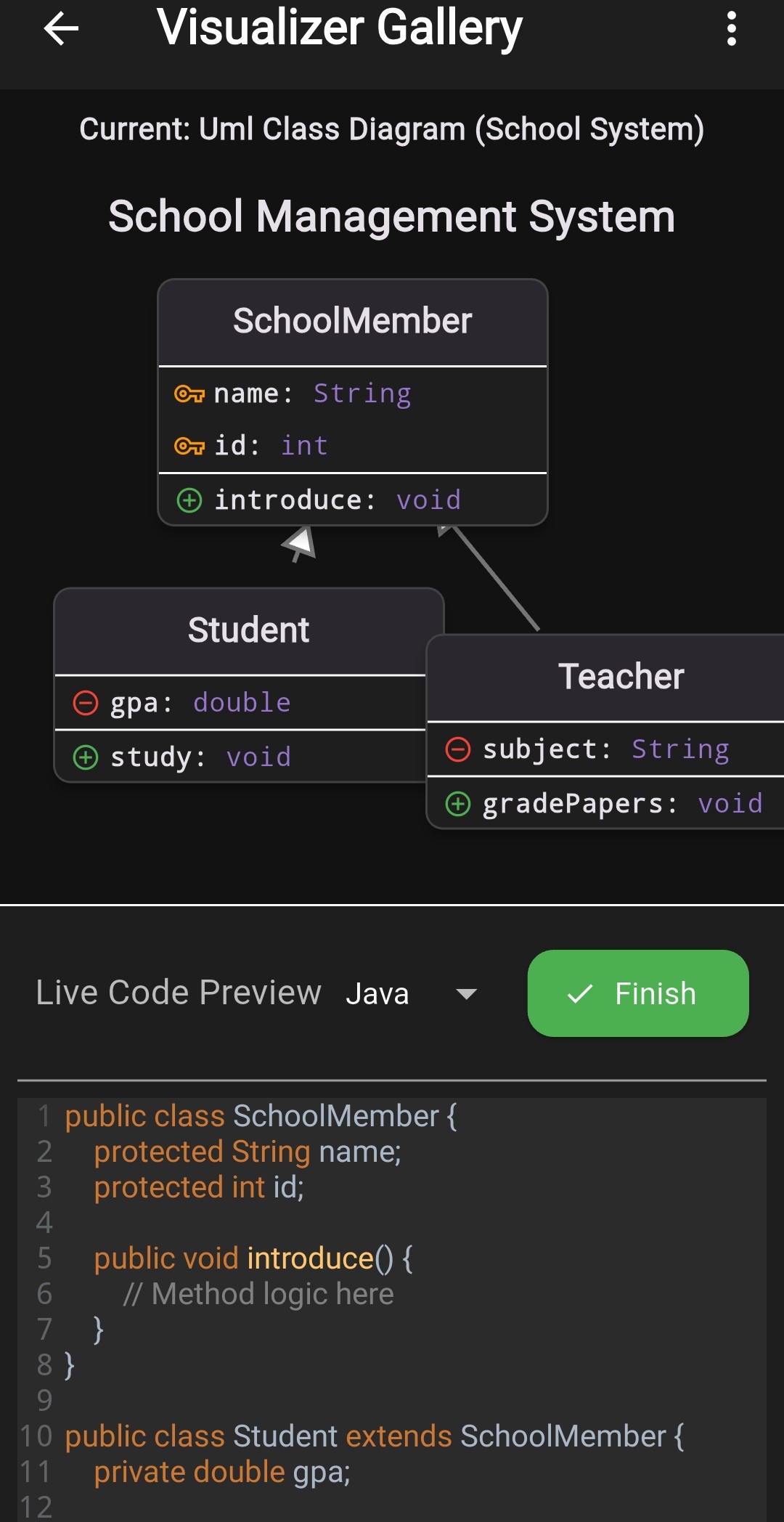
UML Class Diagram
Visualize object-oriented structures through automatically generated high-fidelity UML class diagrams.
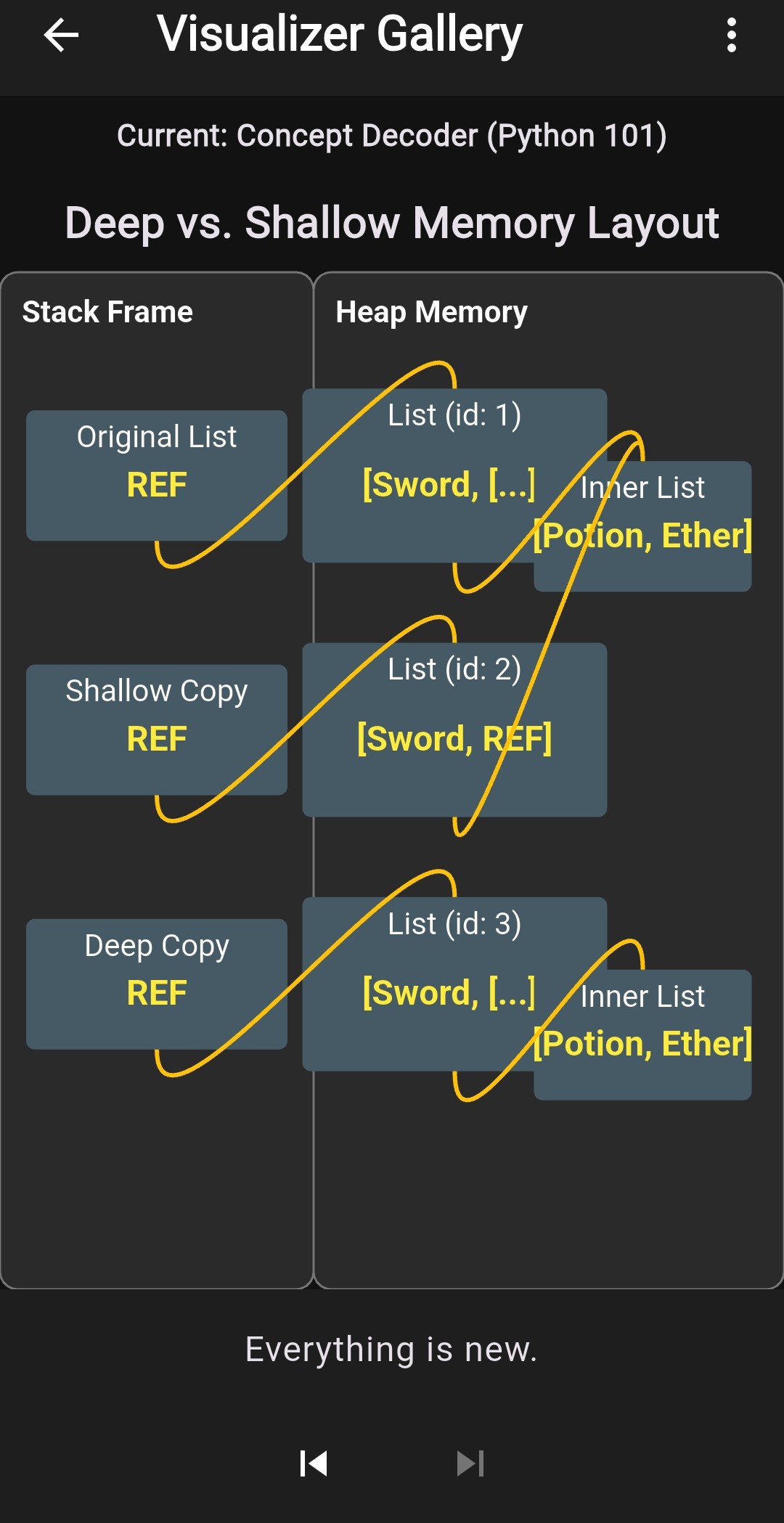
Concept Decoder
Break down complex computer science concepts into simple, visual components for intuitive learning.
Master Computer Science: Anywhere.
CodeVarsity is the complete coding education platform that combines a professional offline mobile IDE with 50+ structured courses.
Master Python, Java, C, Go, SQL, and more using our unique Rhombus Methodology™, which integrates 30+ interactive visualizers directly into your learning journey—all without needing an internet connection.
Who is CodeVarsity for?
For Students
CodeVarsity is useful for students learning programming who need a reliable mobile compiler for practice anytime, anywhere.
For Beginners
CodeVarsity is designed for beginners without laptops, offering a complete curriculum from "Hello World" to complex algorithms directly on a phone.
For Professionals
CodeVarsity is useful for practicing coding while traveling or commuting, allowing developers to prototype ideas offline in Python or Go.
How CodeVarsity
Empowers Your Journey
A systematic approach to mastering computer science through research-backed methodologies.
Theory & Vision
Learn with 30+ interactive visualizers. See exactly how memory, algorithms, and data structures operate in real-time.
Guided Practice
Write and compile code with real offline runtimes. Guided Practice builds muscle memory through directed typing sessions.
Mastery Checks
Solve Bug Squasher and Code Scramble challenges. Prove your skills by finding errors and refactoring architecture.
Master Your Craft.
Anywhere. Anytime.
The CodeVarsity Standard
Rigorous Practice
Watching tutorials is passive. CodeVarsity enforces active execution through Ghost Code™ and institutional labs.
Offline Fidelity
We don't cheat with wrappers. Experience desktop-grade compilers for Java 21, Python, and Go directly on your device.
Academic Support
Visualizers for sorting, recursion, and memory aren't features—they are essentials for mastering computer science.
For Educators
High Schools & Bootcamps
Manage massive student rosters, assign rigor-tested coding labs, and track completion analytics seamlessly.
Explore CodeVarsity InstituteYouTube Hub
Watch & Code — Any Channel
Search any programming tutorial on YouTube and code along in a built-in split-screen IDE. No app switching, no losing your place.
Explore YouTube HubThe Institutional Edge
Verified Transformation.
Join thousands of developers who have accelerated their career through our institutional ecosystem.
Arjun Mehta
Engineering Student
"CodeVarsity's offline compiler was a lifesaver during my commute. I mastered Java 21 and built my first project entirely on my phone. The visualizers made recursion finally click for me."
Sarah Chen
Self-Taught Developer
"The Rhombus Methodology is legit. I've tried many apps, but the 'Ghost Code' practice built real muscle memory. I just shared my profile link with a recruiter, and they were blown away by the verified stats."
David Kumar
Tech Lead @ Fintech
"We look for 'technical competence proof' in junior hires. CodeVarsity profiles give us a much deeper look into a candidate's actual coding activity than just a certificate."
Latest Insights
Technical guides, engineering logs, and updates from our team.

Coding Trends for 2026
What's new in programming this year

Full-Stack Web Dev on Mobile
Build, test, and deploy React apps from your phone.

Java on Mobile
Is it possible to run a professional JVM on Android?

Visualizing Data Structures
Why seeing your code helps you master it faster.

Designing a Developer Keyboard
The science behind our custom mobile keyboard.
Technical Support
Common inquiries about our professional ecosystem.
How does professional offline execution work?
CodeVarsity embeds professional runtimes for Python 3.10, Java 21, Go, and HTML/CSS directly in the app. No internet required for compiling or running code.
Can I use NumPy, Pandas, and professional frameworks?
Yes! Python comes pre-bundled with industrial libraries including NumPy, Pandas, Scikit-learn, Flask, and Django. All work 100% offline.
What is the Rhombus Methodology™?
A unique 7-layer learning framework designed for mastery. You can try the first 2 layers of every course for free! Full access is via one-time lifetime purchases.
Is there a free trial for the IDE?
Yes! Professional features like the Java 21 and Python industrial libraries come with a 7-day free trial through our Workspace Subscriptions ($1.99/mo).
How do I prove my technical competence?
Your profile tracks verified XP, lines typed, and Bug Squasher stats. Share your unique profile URL with recruiters as proof of skills.
What is Ghost Code™?
Guided Practice sessions where you type according to a 'ghost' template. It builds muscle memory and ensures you master syntax before moving to Layer 4 (Implementation).
Enroll in Mastery
Join the elite ecosystem of mobile developers today.